
Download 100 Push-Ups Counter Trainer – fitness tracker, push-up counter, personal trainer, workout app, Android software
Overview
100 Push-Ups Counter Trainer is a lifestyle application designed to support users in building upper body strength and improving overall fitness through structured push-up training. Developed by Foxyfitness GmbH, the app functions as a digital personal trainer, leveraging built-in smartphone sensors—specifically the proximity sensor and camera—to automatically detect and count push-up repetitions. This hands-free tracking eliminates the need for manual input, making it ideal for users seeking consistent, low-effort workout monitoring.
The app is tailored for individuals aiming to enhance endurance, tone muscles, and achieve measurable fitness milestones in a short daily routine. With training plans adapted to three distinct levels—ranging from 0 to 100 push-ups—the software accommodates beginners and more advanced users alike. Real-world usage scenarios include home workouts, gym sessions, or morning exercise routines, all supported by voice coaching and motivational features.
The app also incorporates goal-setting and streak tracking to promote consistency and long-term engagement. While the developer did not provide additional details about the app’s backend or data handling, its core function centers on fitness tracking and user motivation through automated repetition counting and progress visualization.
Key Features & Capabilities
- Automatic Push-Up Detection – Uses the phone’s proximity sensor and camera to detect push-up motion and count repetitions without manual input.
- Adaptive Training Plans – Offers three customizable levels (0 to 100 push-ups) to match the user’s current fitness level and progression goals.
- Voice Coaching – Provides real-time audio guidance during workouts to maintain proper form and pace.
- Goal Tracking & Streaks – Allows users to set daily, monthly, and yearly goals with reminders to stay consistent and build a habit.
- Progress Visualization – Displays quick statistics, profile charts, and personal records to monitor improvements over time.
- Social Sharing – Enables users to share achievements and milestones on platforms like Instagram, Snapchat, and TikTok.
These features support a seamless, self-directed workout experience. For example, a beginner can start with the 0–30 push-up level and gradually advance as strength improves. The voice coaching helps maintain rhythm and form, reducing the risk of injury.
Goal tracking encourages daily commitment, while streaks foster a sense of accomplishment. Progress charts allow users to see long-term trends, which can be especially motivating during plateaus. Sharing results on social media enhances accountability and community engagement.
The app’s automation reduces friction in tracking, making it easier for users to maintain consistency without needing external devices or complex setups.
User Interface, Workflow & Performance
The user interface of 100 Push-Ups Counter Trainer is designed for simplicity and ease of navigation, focusing on core workout functions. Users can quickly access training levels, start a session, view progress, and manage goals through intuitive menus. The workflow begins with selecting a difficulty level, followed by launching the tracking mode where the app activates the camera and proximity sensor.
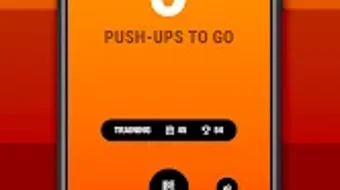
Once the session starts, real-time feedback is provided via voice cues and on-screen counters. The interface remains uncluttered, prioritizing visibility of key metrics such as current rep count, time elapsed, and remaining reps. Navigation is consistent across screens, minimizing user confusion.
Performance observations are based on general software behavior patterns. The app runs on Android devices and is optimized for mobile processors, though exact performance details were not specified. Resource usage such as CPU and RAM consumption remains undisclosed.
Stability is expected to be adequate for standard smartphone hardware, but users with older devices may experience delays in sensor detection. The developer did not specify whether the app runs in the background or requires continuous screen visibility during use.
Compatibility & System Requirements
100 Push-Ups Counter Trainer is designed for Android devices, ensuring compatibility with a wide range of smartphones and tablets. The app supports the latest Android versions, though specific version requirements were not listed. Installation size is not provided, but typical fitness apps of this nature range between 20–100 MB.
Hardware requirements are limited to devices equipped with a proximity sensor and a front-facing camera—standard components on most modern Android phones. The developer did not specify additional system requirements such as minimum RAM, processor speed, or storage space. Compatibility information was partially provided, leaving users to verify functionality on their specific device.
Users should ensure their device has a functional front camera and proximity sensor for full feature access. If the sensors are disabled or malfunctioning, the app may not operate as intended.
Pros and Cons
Pros
- Automated push-up counting reduces manual effort and improves tracking accuracy.
- Adaptive training levels suit users of varying fitness levels.
- Voice coaching enhances form and workout consistency.
- Goal setting and streak tracking promote long-term motivation.
- Progress charts and social sharing features support accountability and engagement.
Cons
- Requires a phone with both a proximity sensor and front-facing camera.
- Performance may vary on older or low-end Android devices.
- Full feature access requires a subscription, limiting functionality in the free version.
- Exact system requirements and resource usage were not disclosed.
- Relies on smartphone sensors, which may be affected by lighting or positioning.
FAQ Section
Is 100 Push-Ups Counter Trainer available for iOS?
The app is currently designed for Android devices. No information was provided about iOS compatibility.
Is the app free to use?
Yes, the app is free to download and use. However, a subscription plan is available for unlimited access to all PRO features.
Does the app require an internet connection?
Basic functionality such as push-up counting and local goal tracking can be used offline. However, some features like cloud sync and social sharing may require an internet connection.
Can I use the app without a subscription?
Yes, the free version includes core features such as automated counting, training plans, and goal tracking. Advanced features are unlocked through subscription.
How does the app detect push-ups?
The app uses the phone’s proximity sensor and front-facing camera to detect motion and count repetitions automatically. Proper positioning and lighting are important for accurate detection.
Final Thoughts + CTA
100 Push-Ups Counter Trainer delivers a focused, automated fitness experience tailored to users committed to building upper body strength through push-up training. Its intelligent use of smartphone sensors, combined with adaptive training plans and motivational tools, makes it a practical choice for both beginners and seasoned exercisers. The inclusion of voice coaching, goal tracking, and social sharing enhances user engagement and long-term adherence.
While the app is limited to Android and requires specific hardware, its core functionality remains reliable and user-friendly. The free version offers substantial value, though full access to advanced features requires a subscription. For individuals seeking a no-frills, effective way to track and improve push-up performance, this app stands out as a solid digital companion.
Download 100 Push-Ups Counter Trainer now and start building strength with confidence.





.png)

